YouTube1372 Videos

DIGDUG SCORING WEB
0

Dig Dug Arcade Game Scoring Hack! | Tips & Tricks

Dig Dug is a long-time arcade favorite that Jon’s been playing for decades, but today he learned something new — the scoring when you over-inflate the bad guys isn’t random, but very predictable! Watch for a great Dig Dug scoring hack that just might help you send your high scores into the stratosphere! #genxgrownup #digdug […]
bankpanic web
0

GXG RePlays Bank Panic!

Jon teaches Mo all about the retro arcade classic – Bank Panic! Wild West shooting action at its finest! Sega introduced this game to arcades in 1984 which was arguably one of the very first first-person shooters ever! Retro gaming is making a huge comeback and here at GenXGrownUp we love to bring you the […]
partycade board swap 1 web
0

PacMan Arcade1Up Partycade | PCB Board Swap Step-by-Step How-To

The Arcade1Up Partycade is a cool piece of tech with some glaring performance issues. In this update, Jon will take you step-by-step through the process of changing out a replacement Arcade1Up PCB, and then re-test to see if the replacement part fixes the problems exposed in his initial review. #genxgrownup #arcade1up #partycade Subscribe » GenXGrownUp.com/yt […]
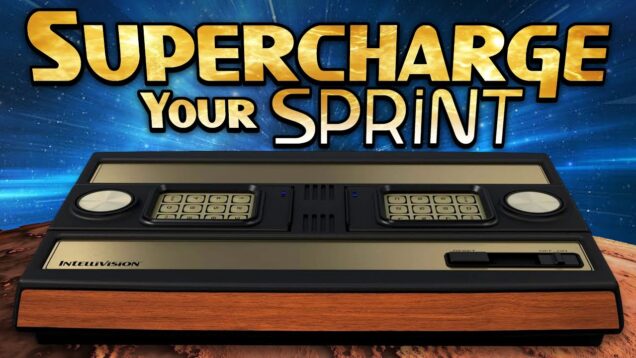
New ATARI Intellivision Sprint: Add MORE GAMES with this COMPLETE GUIDE
0

New ATARI Intellivision Sprint: Add MORE GAMES with this COMPLETE GUIDE

Get Your Sprint » Intellivision Sprint » https://www.amazon.com/dp/B0FX5Z3N23?tag=genxgrownup-20 So, you’ve got your shiny new Intellivision Sprint and have tried adding games by just throwing a bunch of INT files on a USB stick, you very likely ran into a hiccup or two. Most files will just work, but some may not, and I know it can be frustrating - it was for me. Thanks to info and resources I’ve scoured up from around the net by people way smarter about Intellivision than me, I’m slowly building up my own USB stick full of new and favorite games not already built in. In this video, I walk you through adding one perfectly-formatted and perfectly-functioning game, so you can repeat it as many times as you like with your favorites. #atari #intellivision #retrogaming #genxgrownup @atari @PLAION_Official - LINKS Launchbox Intellivision Database » https://gamesdb.launchbox-app.com/platforms/games/15-mattel-intellivision AtariAge Config Thread » https://forums.atariage.com/topic/203179-config-files-to-use-with-various-intellivision-titles/ ROM Source » https://www.google.com GXG Templates » https://drive.google.com/drive/folders/17eJgBMWBFGV7leQ6V4YcpjZwqCpW4KM8?usp=drive_link Intellivision Gamer » @intellivisiongamer - SHOP Intellivision Sprint » https://www.amazon.com/dp/B0FX5Z3N23?tag=genxgrownup-20 http://genxgrownup.com/amazon http://GenXGrownUp.com/merch - PODCAST http://GenXGrownUp.com/pod - SUPPORT US https://patreon.com/genxgrownup - WEB & SOCIAL http://GenXGrownUp.com/discord https://twitch.tv/genxgrownup http://fb.me/GenXGrownUp https://bsky.app/profile/genxgrownup.com https://www.tiktok.com/@genxgrownup https://www.instagram.com/genxgrownup/ http://GenXGrownUp.com - SPONSORS Keys of Fury » https://keysoffury.com G'AIM'E Time Crisis » http://genxgrownup.com/gaime King of Nerds » http://kingofnerds.tv Order of Cosmic Champions » http://www.orderofcosmicchampions.com - CHAPTERS 00:00 Sprint Expansion 01:11 Getting ROMs 01:35 ROM Types 02:00 USB Location & Test 02:48 ROM Config File 04:45 Image & Metadata Files 05:57 File Cheat Sheet 06:11 Box Cover 06:32 Overlays 07:14 QR Code 07:37 Screenshots 08:01 JSON Metadata 08:53 Files to USB & Test 10:22 Summary